
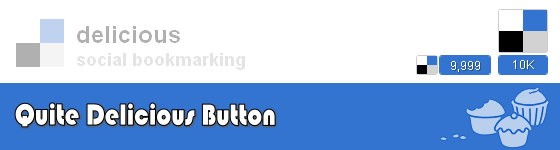
Delicious counter buttons are quite essential for every blogger, but there are many counter buttons out in the field which actually doesn’t work. It was my experience, when I was in search of delicious counter buttons. Finally I found a way to make our delicious button. The tutorial which I am going to teach you was made by Mike. So, this is going to be a little detailed version of what he has written on his blog.
WordPress
Step 1: Go to header.php on your WordPress dashboard and insert the below code within </head>.
<script type="text/javascript" src="http://ajax.googleapis.com/ajax/libs/jquery/1.3.2/jquery.min.js"></script> <script type="text/javascript" src="http://delicious-button.googlecode.com/files/jquery.delicious-button-1.0.min.js"></script>
Step: 2 Now go to single.php and paste this code after <?php the_content(); ?>
<div style='float:right; margin-right:10px;'>
<!-- {
url:"<?php the_permalink() ?>"
,title:"<?php the_title(); ?>"
,button:"wide"
} -->
Save on Delicious
</a>
</div>For horizontal button, remove ,button:”wide” from the step 2.
Blogger
Well, I don’t want to miss Blogger platform and here we go to the installation.
Step 1: Go to Edit HTML in your Blogger dashboard and paste the below code within </head>.
<script type="text/javascript" src="http://ajax.googleapis.com/ajax/libs/jquery/1.3.2/jquery.min.js"></script> <script type="text/javascript" src="http://delicious-button.googlecode.com/files/jquery.delicious-button-1.0.min.js"></script>
Step 2: Search for <div class=’post-header-line-1′/> if you are not able to find search for <data:post.body/> and paste this code below to that
<div style='float:right; margin-right:10px;'>
<a class='delicious-button' href='http://delicious.com/save'>
<!-- {
url:"<data:post.url/>"
,title:"<data:post.title/>"
,button:"wide"
} -->
Save on Delicious
</a>
</div>For horizontal button remove ,button:”wide” from the step 2.
Hope this tut is helpful to add a beautiful delicious counter button. Finally thanks to Mike for making this awesome piece of work.



This is really awesome. I am searching for this widget from long time ago. And today I found it here! Thanks for sharing
.-= Anup @ Hack Tutors´s last blog ..50 RSS Directories to Increase your Subscribers =-.
Glad you liked it Anup
cool i do hope it is added to the social networking plugins like sociable for wordpress soon thanks for the heads up
.-= lawmacs´s last blog ..When Should You Change Your Blog Template =-.
Yes it can be added to the social bookmarking plugins
Nice, man!
.-= afEkenholm Web Design´s last blog ..ScrollectBox jQuery plugin =-.
nice social media buttons for sharing the information
.-= shenoyjoseph´s last blog ..Baby Scared by seeing the Jedi Yoda =-.
Hi ,
I am really thankful to you for showing me a simple and working tip.
.-= Madav´s last blog ..Facebook want users to make facebookcom as home page =-.
Thanks dude.
I really loved the layout of the button in the above screenshot but when I tried to implement in my WP powered blog it resulted in Parse errors. Several attempts at fixing the code implementation resulted in nothing. I’d appreciate if you could help!
.-= TechChunks´s last blog ..How to Repair and Fix 5 Common Cellphone Problems =-.
Updated the script to fix the issue. Try now
I tried a number of codes but none worked. That is the counter never worked properly. But yours was spot on. Thanks buddy!
Many Many thanks
i have finally inserted the delicious code very simply after a long search. i suggest you to add a tag or label as delicious share button code and delicious button code
Thanks man 
Very nice indeed. However, on firefox it throws the counter under the icon. I want to use the small horizontal version, but cant manage to make it work on firefox. Why does it throw the number under the icon? Works fine on all other browsers except firefox.
Am i the only one facing this?
Thanx.
Franklin,
Thanks, works like a charm.
One question. I’m Belgian and my weblog is in Dutch.
How can I translate the word “Save” to the Dutch equivalent?
Thanks for the tutorial, I was looking for this delicious button on delicious.com website but they don’t have any info about it?
Finally after finding this tutorial I have add delicious button on my blog
how to make a count delicious button like this?
picture:
http://1.bp.blogspot.com/_u4rBCfM4eII/TRnS1yloiSI/AAAAAAAAA68/TqNLE4N-laI/s1600/1.png
Something happen to the code
( and just when i tought i found it..
Pingback: YouTube founders cooking up a site that’s more 'delicious' | NothingButSoftware Blog
very nice post friend
Am i the only one that can’t see a number but just “save…” text?
Some code seems to be missing in the WP-Version.
I’m talking of…
Thanks for sharing man, awesome tut!