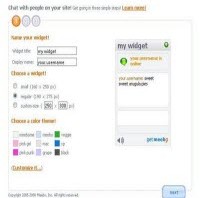


Meebo is one of the effective tool, if you value your visitors. Meebo provides a customized free chat box, which can add to your blog. All you need is to sign up in meebo website and get an account for you, which is absolutely free of cost. It is a flexible plug-in which fits into any blog. You can also view the offline message sent from your blog viewers, by sign in to your meebo account. Good thing about meebo is, visitors are not asked to sign up in order to chat with the blog owner. Here are simple steps to install meebo plugin to your blog.
Step 1. Visit www.meebome.com and fill in the required details.

Step 2 – Click next and register as a new user, then again click next

Step 3 – You are almost done. Just copy the html script

Step 4 – Now go to Layout tab in blogger, then navigate to Page Elements – Add gadget and insert the meebo code.

Step 5 – Click save. You are done