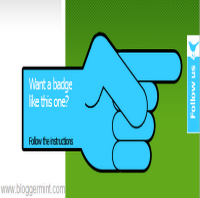
Floating Twitter Follow Us Badge For Blogger


Twitter is a great tool to bring quality visitors, when it comes to blogging. There are quite a lot twitting tools for blogger, to makes your blog conversations more visible. One of its kind is Twitter follow me or follow us badge. This is a floating badge for blogger blogs, may be many us could have seen in blogs. Now you can make the happen on your blogger blog. Just follow our instruction to add floating follow us badge on your blogger / blogspot blogs.

twitter follow us badge

I made the installation pretty simple by making a blogger gadget. So all you need to do is hit on the button and add it on your blog, with some slight modification.


twitter badge edit

After hitting Add Twitter Widget, click on Edit Content by default the twitter widget is set to float on the right side, so if you want to change, replace the text right to left in the code. Then replace the default Twitter URL with your URL. Well, all set done.

Twitter Digg Delicious Stumbleupon Technorati Facebook

18 Responses to “Floating Twitter Follow Us Badge For Blogger”

  1. thanks 4 sharing dude

  2. I do not think I have seen this described that way before. You actually have clarified this for me. Thank you!

  3. Yeah, I strongly agree with you. It seems there are really talented writers who are willing to share a very good articles online.

  4. @Free sample – You got the point right

  5. Good job. I’m definitely going to bookmark you!

  6. Nice Information.. Thx for sharing this

    information Your site is very useful for me .I bookmarked your site!

  7. wow.. i’m enjoying reading your post

  8. great information you write it very clean. I am very lucky to get this tips from you. .I bookmarked your site!

  9. this post is very usefull thx!

  10. Valuable info. Lucky me I found your site by accident, I bookmarked it.

  11. Very Good Site You Have! I also like your clean, smooth design.

  12. a great blogger tricks in ur site man………i think i m going to be a fan of ur site
    kbharath´s last blog ..How to Reset Your Printer Troubleshooting for Resetting Your Hp- Dell- Lexmark- Brother or Samsung Printers My ComLuv Profile

  13. @Kbharath – Nice to hear, do read my blog often for latest blogger tricks.

  14. Thanks for sharing and it works for me..

  15. Thanks a lot. Works great!!