

Watching online video is a great recreational activity. Yet, it is not convenient to access to Internet sometimes. Then, have you ever thought of downloading cool online videos for offline viewing? Traditionally, we take advantage of third-party application to do this job. To make this stuff easier, I’m going to introduce you videograbber – a free online service which enables you to grab online videos effectively.

VideoGrabber is a browser-based video downloader, namely, users are not required to install any application or plug-in. The website is totally safe and clean, no pop-up advertisement or virus will bother you. All you need to do is to copy the URL of your desired video, input it to VideoGrabber’s download box. Then, the video will be auto-downloaded and saved to your PC.
The website allows users to free grab video online from thousands of video-sharing websites such as YouTube, Dailymotion, Metacafe, CollegeHumor etc. In addition, VideoGrabber is dedicated to extend its supported list. Take the site abc.net.au for example, the following demo video will tell you how to do it easily. You may download videos from other sites just like the way illustrated.
With regard to download online videos, one point which should be noticed is the video quality. That is a pleasant thing if you can download high definition videos from websites like Vimeo and IGN. Actually, it is a cinch to VideoGrabber. Once you enter the video URL into download box, it will provide you several download links which presents videos of 1080P, 720P, 480P etc. In this case, you can choose to download high definition 1080P or 720P videos at ease.
Another feature of this online video grabber is–it allows you to watch videos on its homepage. Navigate to videograbber.com, you can see video files that have been downloaded by other users moments ago. The video will be played after hitting the video tab “Always popular”, “Recent downloads” and “Today’s hottest”. More than that, the website embedded a small video search engine. Just type the keywords into search bar, related video will appear to you in a second. Then, you can check them and get the favorite ones.
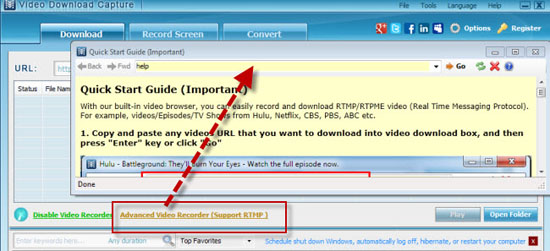
It is a pity that VideoGrabber fails in downloading encoded videos from Hulu, ABC, BBC, and CBS. In order to settle this matter, the technicians of the website create the VideoGrabber Pro. It is capable of downloading videos streamed by RTMP, HTTP, RTSP, MMS protocols and various formats in batch. The inlaid screen recorder is good at recording live video streams. Moreover, the convert function of this tool can convert videos for iPhone, iPad, Zune or other gadgets. If you hope to do some basic edits, the built-in editor will do you a favor.