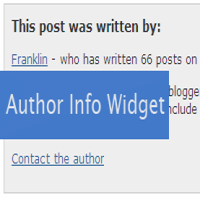


We all had seen author info widget below each post on WordPress blogs, but actually its not much seen in Blogger. Basically Blogger is not a platform for beginners, its a kinda platform to blog. There are endless possibilities to makes your Blogger blog look like a WordPress blog. So to make that note true, today I am going to teach you how to add author info widget, below every blog post.
Updated script with author image inside the widget
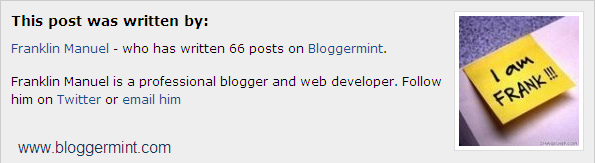
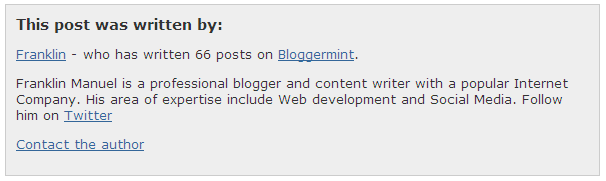
Step 1: Login to your Blogger dashboard and navigate to Layout > Edit HTML and check the box of expand widget templates. Now search for the code ]]></b:skin> once you find it, replace the code with the below code
.author_info {
	float: left;
	width: 573px;
	padding: 10px;
	border: 1px solid #ccc;
	margin-bottom: 15px;
	margin-top: 15px;
	background: #eee;
}
.author_info h3 {
	margin-bottom: 10px;
}
.author_photo {
	float: right;
	margin: 0 0 0 10px;
}
.author_photo img {
	border: 1px solid #666;
}
]]></b:skin>
Step 2: Now we are going to add the div part of the author info widget. To do that search for the code <div class='post-footer-line post-footer-line-1'> and paste the below code after <div class='post-footer-line post-footer-line-1'>
<b:if cond='data:blog.pageType == "item"'>
<div class='author_info'>
<div class='author_photo'>
<img alt='author' src='http://i50.tinypic.com/iw7lec.jpg'/></div>
<h3>This post was written by:</h3>
<p><a href='http://franklin.bloggermint.com' title='Posts by Franklin'>Franklin Manuel</a> - who has written 66 posts on <a href='http://bloggermint.com/'>Bloggermint</a>.</p>
<p>Franklin Manuel is a professional blogger and web developer. Follow him on <a href='http://twitter.com/bloggermint'>Twitter</a> or <a href='mailto:bloggermint@gmail.com'>email him</a><br style='clear:both;'/></p>
</div>
</b:if>
Edit your information according to your needs and you all set done, check your blog to see the changes.