


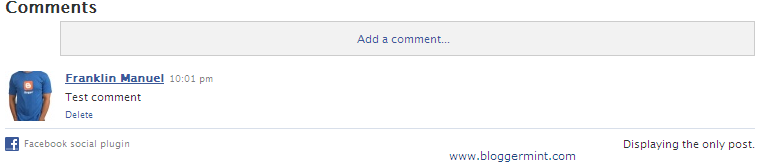
Well, I don’t think I need to explain about how to create a Facebook landing page for your blog, as you can Google it for the information. This post is about how to add comment box on Facebook fan page in a easy way. I always believe in making tutorial simpler and this is also a simple tutorial to easily implement the comment box on your Facebook page. So, here I am using FBML to implement the comment box.

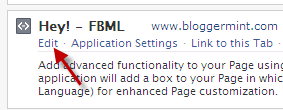
Step1: Click Edit page on your Facebook Fan Page and then again click on Edit in FBML.
Step 2: Now paste this code on the Edit FBML text box and click on Save Changes.
<fb:comments xid="YOUR FAN PAGE NAME" numposts="10" width="450" canpost="true"
candelete="false">
<fb:title>Comments</fb:title>
</fb:comments>
The values mentioned in the code can be changed.
If you want to display the comment box only to your Facebook Fans use this code
<fb:visible-to-connection>
<fb:comments xid="YOUR FAN PAGE NAME" numposts="10" width="450" canpost="true"
candelete="false">
<fb:title>Comments</fb:title>
</fb:comments>
</fb:visible-to-connection>
To stay updated with Facebook tips on Bloggermint. Follow us on Bloggermint’s Facebook page