

Customizing Favicon wasn’t that easy with Blogger before. Till date we have been using the Edit HTML to input the custom favicon, but from now, its no more needed. This morning Blogger has introduced custom Favicon option for Blogger in Draft users through which all its users can easily add their custom favicon instead of the default favicon which most of us have.
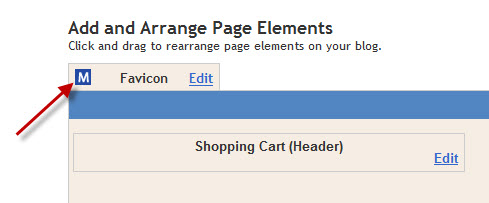
In order to change the favicon, go to http://draft.blogger.com and navigate to Design > Page Elements and click the edit link on Favicon
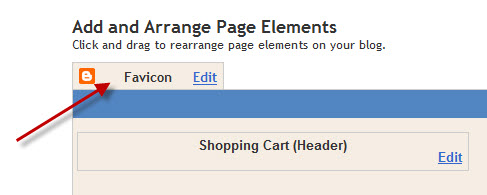 After clicking edit a new popup window will open to ask for the favicon file source. Remember only .ico files are supported, so if you don’t have it use ICO converter to convert the PNG or JPEG to ICO.
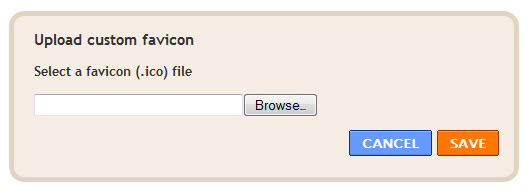 Now after converting, upload the icon and click Save.
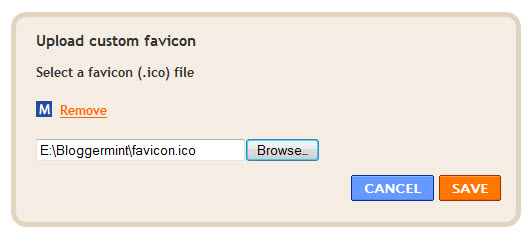 Finally you can see the custom favicon added to blog
 That’s it. Simple isn’t it?