
Mashable, obviously the resource portal for all bloggers. But more than that, we all too love their design. So why would I talking about Mashable here? The reason being Mash – the Mashable look alike Blogger template. Mash template was a Mashable inspired Blogger template developed to give the same feel in Blogger platform blogs. The template is available for free download and hope you all love my piece of work.
Update: I have releases Mash 2, if you want to try it have a look at it here.
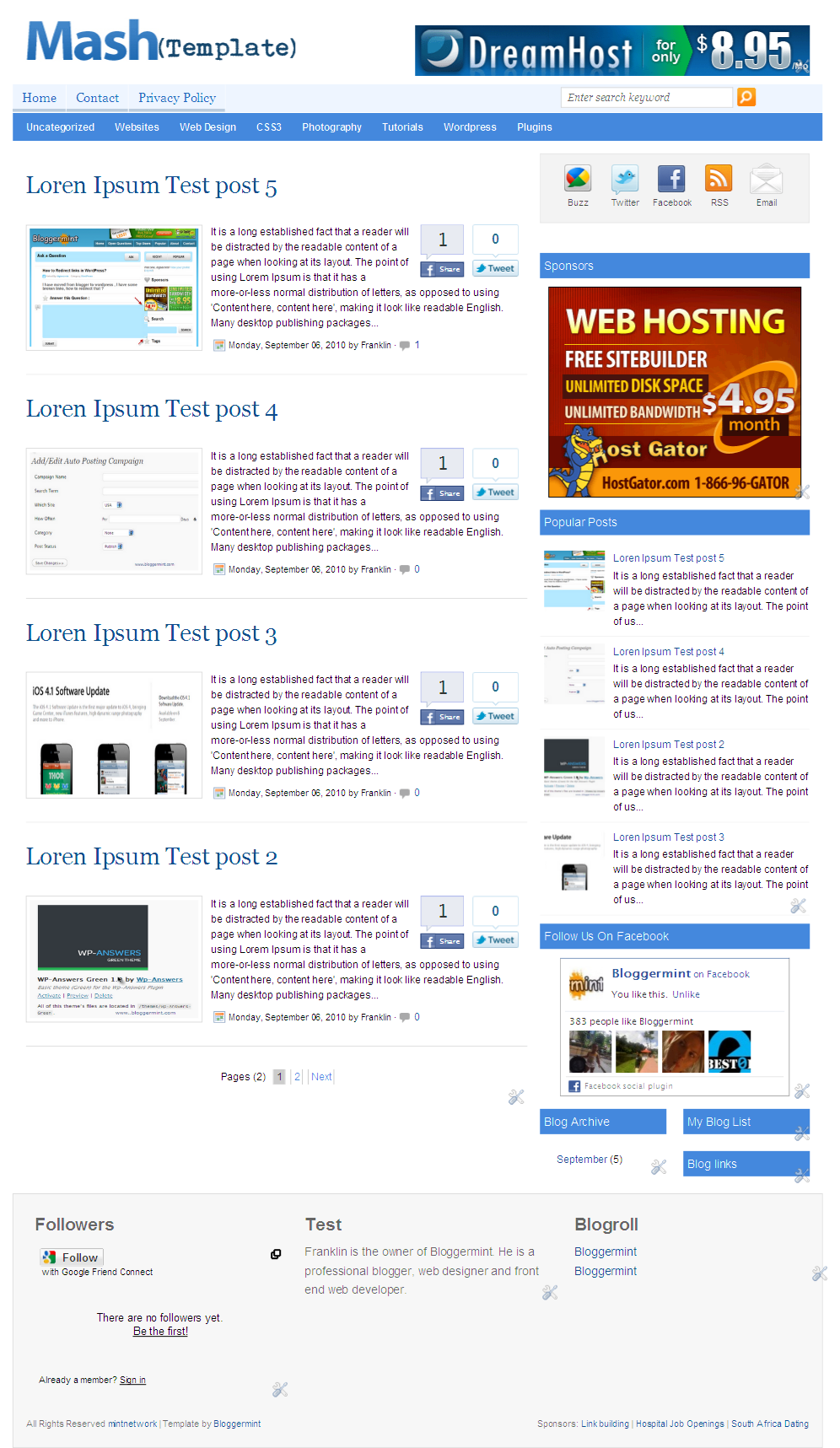
Features
- Automatic thumbnail image with read more
- Uber cool subscribe widget
- Floating social bookmarking widget, as seen in Mashable
- Facebook and Twitter share button on every post in the homepage
- Top banner ad spot for 460×68
- Two column navigation
- Numbered page navigation
- Trending post bar on the top of each post
- Three column footer and much more
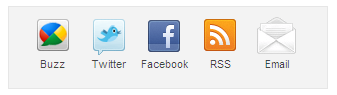
Subscribe Widget
To add your profile links to the subscribe bar icons, search for <div id='subscribe'> in the template and replace your profile links appropriately.
Floating Social Bookmark Widget
Since the template uses Mashable styled floating social bookmarking bar, you need to replace the default button values with your usernames. So to change that, search for <div id='sharebox'> and replace the default profile usernames with yours.
Trending post widget
Trending post widget shows up important post on your blog. But this isn’t automatic. Users have to enter their own blog post title and link to show up in the top of each post page. To change the URL and the post title, search for <div id='archiveboxx'> and change it appropriately.

Navigation bar
The template has two column navigation system. To enter the exact url for navigation search for <div id=’top’> and change the link URL to match the url in your blog post. For the second column nav bar search for <div id='submenu'> and do the same.
Let me know your feedback about this plugin. If you are looking for WordPress version of this theme, check it out here. Also thanks to Theme Junkie for inspiring me to release Mash template.
Note - Don’t try to remove the footer links. If you really value my work, keep the footer links as it is. It also encourage me to release even more fremium themes in the coming days.



hii there… i already installed ur theme… i wanna to change ‘written by’ section bottom of each post but i cannot find code
can u help me with this matters?
anything is going right except this thingy..:) thanx
can u pleae help me, abt the meta tags they r so hard
facebook and google nt making description on buzing and sharing. .just link and tiltle only.;.
plese gv me a reply aju.n@live.com please…
Pingback: Mash 2 (Mashable Inspired) Blogger Template | Bloggermint
Pingback: 20+ Free High Quality New Stunning blogger Templates
Pingback: 20+ Free High Quality New Stunning blogger Templates | buisson center
Franklin, first of all, I want to say – Thank You for making this template. It’s very nice.
I have questions,
I am using this template on my blog http://pakhr.blogspot.com/
no of post which i have set to 10 are not showing (only 5 of them are loading on home page) please help me in to correct it.
Regards. Arshad Rana
Pingback: RealTime - Questions: "How to find a font properties in an image?"
Hey, Theme is looking Great. Impressive work.
Truly a good theme. Very nice and clean. I also like the tweet feature which is a must.
.-= Dr Singh´s last blog ..No Job No Money =-.
Pingback: 20+ Free High Quality New Stunning blogger Templates | TECHNOLOGY NEWS
Pingback: Top Best Free High Quality Blogger Templates/Themes 2010-2011 | Alboz Nest
can we add one default image in the post preview in-case there isn’t any image in the post?
if yes, how to do so?
I am really happy to see this ………. thanks a lot
wow..nice template.its nice to see this man..thx
Hi jack, we have an updated (Version 2) of this template too with more css3 effects, fixes.. Have a try!
http://www.bloggermint.com/2010/11/mash-2-mashable-inspired-blogger-template/
Hey, is there any way i could delete the author information under every post?
hey franklin below every of my post it shows post written by franklin how do i remove it
did u find out a way to remove the author info under every post? Its really ridiculous to claim every post was written by Franklin! Grow up, as a dev Franklin.
Please make this for WordPress
Hi Franklin, would you know why the template has suddenly decided not to post thumbnails under “popular posts”? It did so for six months and now it doesn’t anymore.
http://www.NewMediator.com
Thanks
Hello Jack Nice theme but some small problem with blog i had added my logo in the Header but it was Hide what to do to public my logo
Thank you
M
Maybe you have set it up as a background and other picture is over your logo.
Typo maybe?
Pingback: Free Premium Magazine Blogger Template
nice template but you cannot add read more botton. how to add this?
just use jump break button available in the blogger editor where you want to show the readmore
Hellow Franklin Manuel!! Can i change/or replace the costume search with Google adsense search, thank you.
Yes you can.
Pingback: Download Mashable Blogspot Templates
Hi franklin, i want to use the related post widget as same as your dat is displaying on dis page. Can u plz assist me. Thank u
hi
i installed ur nice template.
it was showing only 4 posts , but i want 2 show 10 posts on a page pls mail or reply me ………..
hello franklin its really awesome,clean template but there is one problem search bar i want to change it with google adsense i tried too replace default search code with custom adsense code but everything messed up can you tell me how to add google adsense search(where to place the code)???
Thanks
Hi Franklin,
your articles are too informative to bloggers and newbies. Currently i am using Mashable Inspired template for my blogger blog. Can u pleas say me how to remove the uber cool subscribe icons ?
hello how I took was not to appear
createSummaryAndThumb(“summary1214767915909751827″…
Hi Franklin I was wondering if you can help me out a little, I use this theme on my site http://www.moviesmusicandtelevision.com. I hope it’s ok to use on a (.com)
The last couple of days the first link on the homepage has stopped working, it loads as if the page will open but then just opens the homepage again, I thought maybe it was my computer or browser but one of my readers commented that he could not open the link either.
Second problem is with Linkwithin, the widget shows under every post on the homepage. Is there anyway I can stop it doing that so it just appears on the actual posts?
Pingback: 10 Free Popular Magazine Style Blogger Templates Premium Like Templates | dailyblogtools.com
Hey Franklin,
I am using your Mashable template since a while and its really cool man. The only issue I am facing is with the SEARCH BAR. When readers try and search for keywords, the search bar generates no Posts. Sometimes, I have tried to put in the entire post title and yet it shows ” NO POSTS”. How can I make this search bar work on the site.
Cheers
Murtaza
Thanks man. Theme is too good
Hi i am sambath from tamilnadu India. kindly help me
I am using this template last 2 months
from yesterday onwards My blog doesn’t show more than three posts on the front page. In my settings page, it to show 7 post/comments on the “settings”, but it doesn’t work.
Kindly help me solve the issue..
My Url : http://www.tamilparents.com
browser : Chrome / Firefox
is it seo friendly template?
Pingback: 25 Magazine Style Blogger Templates 2012 | cineandhra.net
how can i remove you might also like this post?