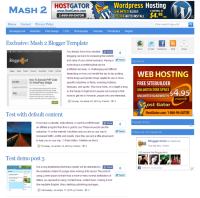


Its been two months the previous release of Mash a Mashable inspired blogger theme and today we are happy to launch Mash 2. Why Mash 2? Well, Mash 2 is one of the most downloaded template with more than 4000 happy users and I used to get lots of emails and comments for making the template. To be frank, the overwhelming response has made to create Mash 2 which has more features and it fixes the previous version bugs. So time to see the Mash 2, who those who were expecting this for many days.
Update: The static page issue has been fixed. Re-download the template file to see the change.
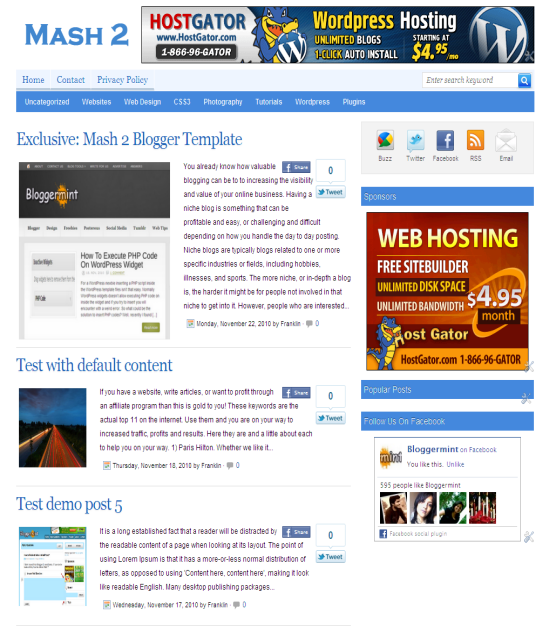
Template Features
- New big size banner at the header with size 728×90
- Latest post in big size (Inspired from Mashable)
- Small thumbnails with grabs the image automatically and crops it
- Cool page navigation to give Mashable feel to the navigation
- Related post box at the end of every post
Subscribe Widget
To add your profile links to the subscribe bar icons, search for <div id='subscribe'> in the template and replace your profile links appropriately.
Floating Social Bookmark Widget
Since the template uses Mashable styled floating social bookmarking bar, you need to replace the default button values with your usernames. So to change that, search for <div id='sharebox'> and replace the default profile usernames with yours.
Trending post widget
Trending post widget shows up important post on your blog. But this isn’t automatic. Users have to enter their own blog post title and link to show up in the top of each post page. To change the URL and the post title, search for <div id='archiveboxx'> and change it appropriately.

Navigation bar
The template has two column navigation system. To enter the exact url for navigation search for <div id=’top’> and change the link URL to match the url in your blog post. For the second column nav bar search for <div id='submenu'> and do the same.
Its been hard for me to find time to make this template and I hope you guys like this piece of work. Shoot out your suggestion and thoughts by adding your comments. Check out our cool blogger templates collection.
Note – Don’t try to remove the footer links. If you really value my work, keep the footer links as it is. It also encourage me to release even more fremium themes in the coming days.