


HTML5 is been a part of many of my projects and once again I want to share a pretty interesting usage of HTML5 to detect geolocation of the user from the web browser. Currently most of the web browser support HTML5 except the lame Internet Explorer and this geolocation detection works fine with Firefox, Opera, Chrome and Safari. If you have an iPhone, you can see the thing happening in it. The geolocation feature user Google maps along with the javascript object – navigator.geolocation and HTML5. This is not a pure HTML5 source, but its good to have these here.
How does this work? For the web browsers, the script takes the position of latitude and longitude based upon your IP address. And for a Mobile devices, it takes advantage of the GPS. So on web browser your location may be incorrect, since its based on your IP address.
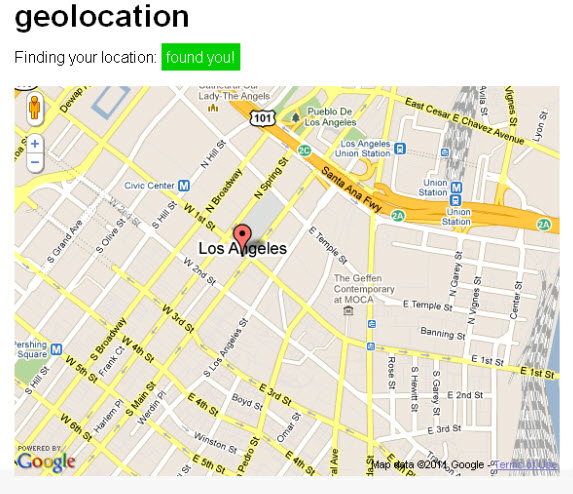
Here is the example script from the developer
<!DOCTYPE html>
<html lang="en">
<head>
<meta charset=utf-8 />
<meta name="viewport" content="width=620" />
<title>Bloggermint Demo - HTML5 Geolocation</title>
<link rel="stylesheet" href="http://bloggermint.com/demos/html5geo/files/html5geo.css" type="text/css" />
<script src="http://bloggermint.com/demos/html5geo/files/h5utils.js"></script></head>
<body>
<section id="wrapper">
    <header>
      <h1>Geolocation</h1><a href="http://bloggermint.com">(back to post)</a>
	  </header><meta name="viewport" content="width=620" />

<script type="text/javascript" src="http://maps.google.com/maps/api/js?sensor=false"></script>
    <article>
      <p>Finding your location: <span id="status">checking...</span></p>
    </article>
<script>
function success(position) {
  var s = document.querySelector('#status');

  if (s.className == 'success') {
    // not sure why we're hitting this twice in FF, I think it's to do with a cached result coming back
    return;
  }

  s.innerHTML = "found you!";
  s.className = 'success';

  var mapcanvas = document.createElement('div');
  mapcanvas.id = 'mapcanvas';
  mapcanvas.style.height = '400px';
  mapcanvas.style.width = '560px';

  document.querySelector('article').appendChild(mapcanvas);

  var latlng = new google.maps.LatLng(position.coords.latitude, position.coords.longitude);
  var myOptions = {
    zoom: 15,
    center: latlng,
    mapTypeControl: false,
    navigationControlOptions: {style: google.maps.NavigationControlStyle.SMALL},
    mapTypeId: google.maps.MapTypeId.ROADMAP
  };
  var map = new google.maps.Map(document.getElementById("mapcanvas"), myOptions);

  var marker = new google.maps.Marker({
      position: latlng,
      map: map,
      title:"You are here!"
  });
}

function error(msg) {
  var s = document.querySelector('#status');
  s.innerHTML = typeof msg == 'string' ? msg : "failed";
  s.className = 'fail';

  // console.log(arguments);
}

if (navigator.geolocation) {
  navigator.geolocation.getCurrentPosition(success, error);
} else {
  error('not supported');
}

</script>
</section>
<script src="http://bloggermint.com/demos/html5geo/files/prettify.packed.js"></script>
</body>
</html>
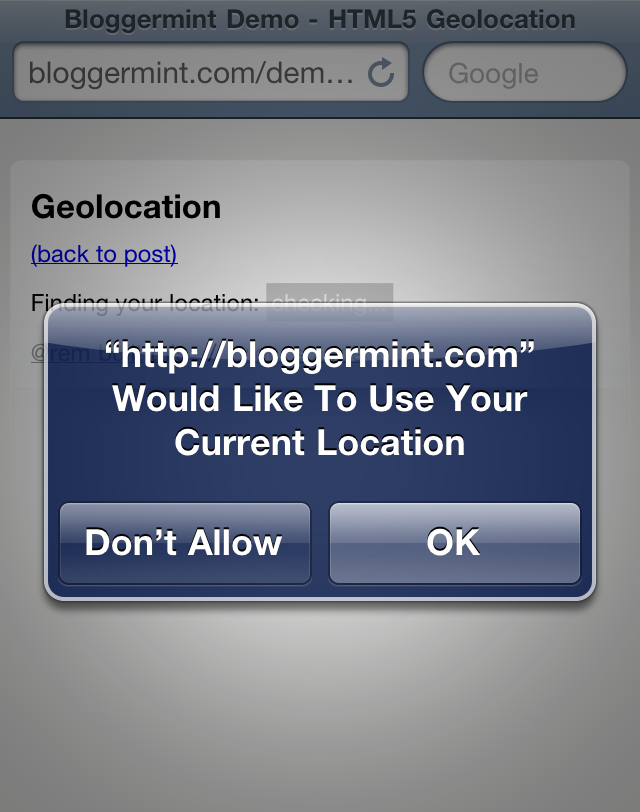
On iPhone you can get the exact user location
 The Geolocation detection using HTML5 was developed by Remy. You can find him on Twitter @remy and the source can be downloaded from here
Alternatively you can also check out this tutorial for HTML geolocation detection.
Additional Resource: